
Safety Figure 360
Open the place and the record in the same conversation.
Figure 360 turns panoramic photographs into a navigable digital view of your workplace. Move between areas and open linked records at the relevant point, using the access permissions assigned to your team.
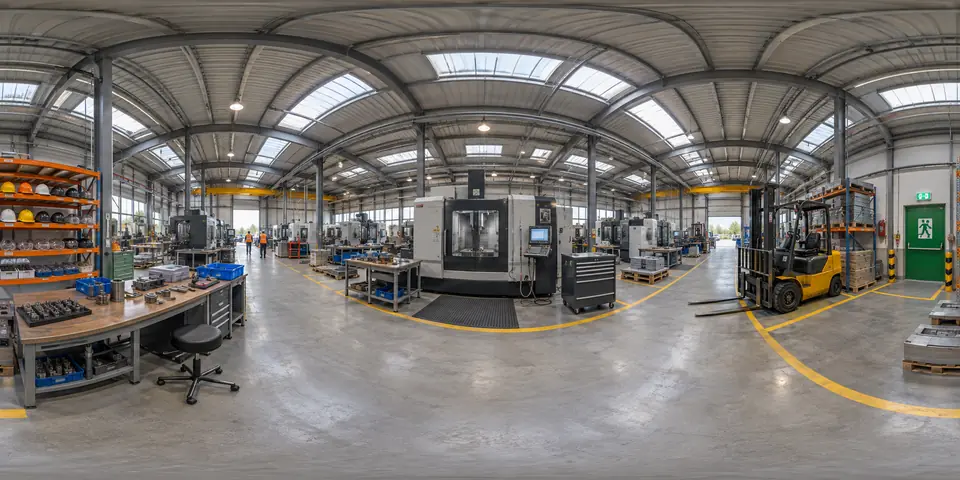
Example: preparing for a cross-site review
A safety professional and a maintenance lead want to discuss a finding at another production site. Open the relevant area, identify the machine and inspect the permitted risk or inspection record. New starters can also use assigned tours to become familiar with their work area before a supervised site introduction.
Build the tour around useful places
Choose the areas and capture the panoramic images. Link the relevant machine, risk, inspection, report or area records to clear points. Check the draft with the site team, publish the reviewed tour and assign the intended users.
- Define the spaces, intended users and records to include.
- Prepare photographs and connect the relevant points.
- Review the tour and update it when the site changes.
A visual record with a capture date
The images show the site when it was photographed. They are not a live camera feed. Assign someone to review changed layouts and record links. AI-assisted navigation, where enabled, and any language needs should be assessed in the deployment scope.
Do employees need a VR headset?
No. Assigned users can explore the tour in a browser. Access to a tour does not override permissions on linked records, and a virtual visit does not replace practical training or checking current conditions on site.